Copy, paste and reformat
Plan details are copied between documents and reformatted by hand every time a document is produced.

Once a plan is approved, the documents still have to be produced. Smart Plan Doc fills your own SPD, SOB and SBC templates from the approved plan data, so each document uses your language and layout and every number comes from the plan that was signed.
When each document is maintained by hand, the same cost share or limit has to be typed into the SPD, the Schedule of Benefits and the SBC separately. A change made in one is easy to miss in another.
Plan details are copied between documents and reformatted by hand every time a document is produced.
When the SPD, SOB and SBC are edited separately, they can end up disagreeing with each other and with the approved plan.
Without a link between the plan and the document, checking a generated value means going back through files and emails.
Keep your custom templates for Summary Plan Descriptions, Schedules of Benefits and Summaries of Benefits and Coverage in one place.
Generation works from approved plan data, after the version has been reviewed and signed off.
Choose the document you need and the template to use. A group's default template can be preselected.
Smart Plan Doc fills the template from the approved plan. The template controls the presentation, and the plan controls the data.
Generate the SPD, SOB, SBC and other plan documents from the same approved version.
An approved plan, PPO Gold 2026 version 3, feeds the SPD, the SOB and the SBC. Each document follows its own template, and all three take their numbers from the same plan data.
Because the data has one source, the documents agree with each other and with what the employer signed.
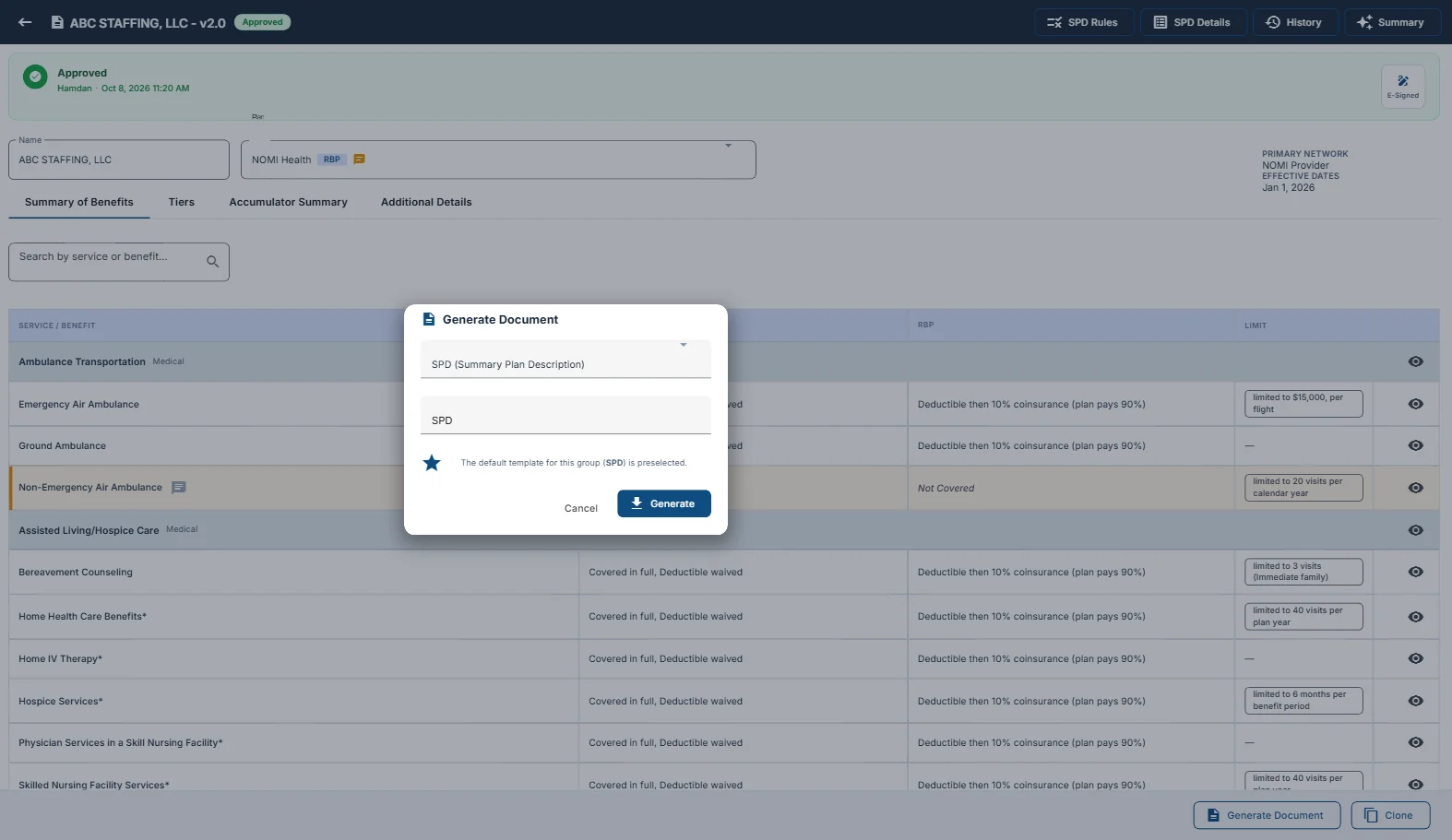
The Generate Document dialog, with the SPD document type and the group's default template selected. Pick the type and template, then generate.
Your templates control the language and layout, so generated documents look like the documents you already send.
Generating from approved plan data removes the copy-paste and reformatting work between documents.
The same plan data drives every document, so the SPD, SOB and SBC always agree with each other.
Documents are generated from the approved version, the one the employer reviewed and e-signed.
Each generated document can be traced back to the plan data behind it, supporting ERISA recordkeeping and disclosure practices.
SPD, SOB and SBC templates are managed together instead of in separate folders.
Yes. You keep your own templates for Summary Plan Descriptions, Schedules of Benefits and Summaries of Benefits and Coverage. Once a plan is approved, Smart Plan Doc fills those templates from the approved plan data.
No. Your templates control the language and layout of each document. The approved plan only supplies the data, such as benefits and cost shares.
Every document is filled from the same approved plan data. The SPD, SOB and SBC draw from one source, so they agree with each other and with what the employer signed.
Yes. Smart Plan Doc keeps traceability from the plan data to every generated document, which supports the recordkeeping and disclosure practices ERISA plan administration requires.
Request a demo, or call 855-669-4332 to schedule a presentation. We respond within one business day.